HTML to EXE Packer Tool
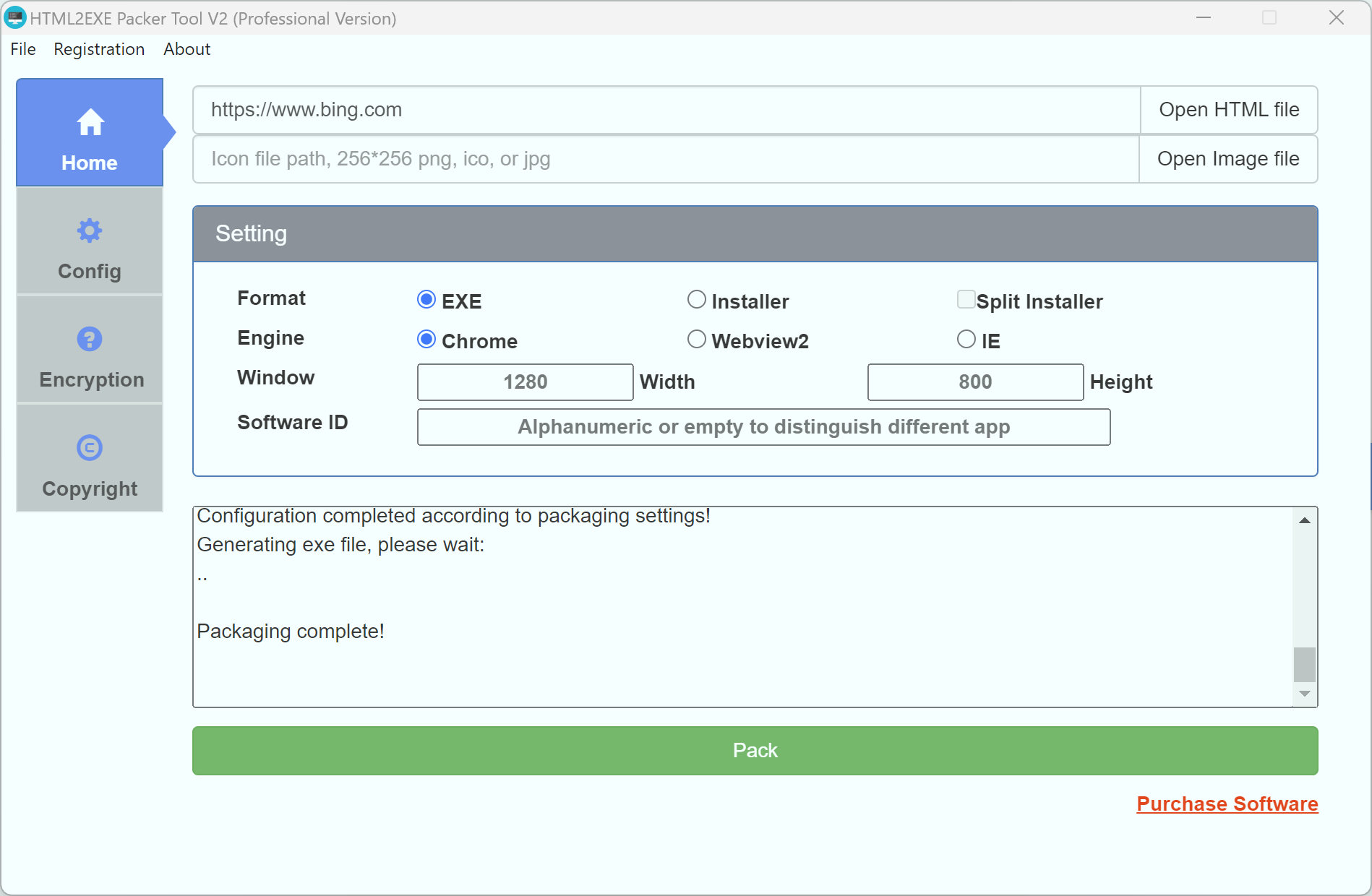
HTML to EXE Packer (HTML to EXE packaging, desktop application tool) can package any HTML project or website into a single Windows EXE executable file with just one click. No browser or server environment required - simply double-click to run. Widely used for desktop deployment of KRPano panoramic VR projects, WebGL games (Egret/Cocos/RPG MV Maker), online course materials, H5 applications, and more.
HTML to EXE Packer (HTML to EXE packaging, desktop application tool) can package any HTML project or website into a single EXE file with one click. The packaged EXE runs independently without requiring a browser or web server - just double-click to execute. Supports KRPano panoramic VR projects, WebGL game projects (Egret game packaging, Cocos game packaging, RPG MV Maker game packaging), course material packaging, website packaging, and more (can convert HTML to EXE files, package websites as EXE files).
🔗 Quick Start
Download and Installation
👉 Download HTML to EXE Packer Now
- Supports Windows 7/8/10/11 (32-bit/64-bit)
- Portable, no installation required - extract and use
- Free kernel provided, education and student groups can use it free with no ads
- Free trial version and professional version available
🚀 Core Features
One-Click Package and Deploy
- ✅ Single File Output: Package HTML projects into a single EXE executable file, supporting both portable and installer formats
- ✅ Independent Execution: The packaged EXE runs completely independently without browser or web server environment
- ✅ Cross-System Distribution: Can be copied to any Windows 7+ system and run without additional environment setup
- ✅ Quick Deployment: Supports direct website packaging, local HTML project packaging, compatible with all frontend frameworks
Kernel and Compatibility
- ✅ Chrome Kernel: Based on latest Chromium, supports ES6+, WebGL 2.0, WebAssembly, and other modern web technologies
- ✅ WebView2 Kernel: Microsoft Edge kernel, smaller footprint, better performance, supports latest browser APIs
- ✅ KRPano Optimization: Specially optimized for panoramic VR projects, supports gyroscope, hotspot interaction, and other advanced features
- ✅ Game Engine Compatibility: Fully supports Egret, Cocos Creator, RPG Maker MV/MZ, and other game engines
Security and Encryption
- ✅ Resource Encryption Protection: HTML/JS/CSS code is automatically encrypted, effectively preventing decompilation and source code leakage
- ✅ One Machine One Code Authorization: Supports both offline and online authorization modes, flexibly controlling software usage rights
- ✅ Usage Count/Duration Limits: Can set trial period, usage count, valid days, and other authorization strategies
- ✅ Disable Debug Tools: Optional ability to disable F12 developer tools and right-click menu for enhanced security
Use Cases
- 📱 Enterprise Applications: Internal management systems, office automation, CRM, ERP, and other web applications desktop deployment
- 🎮 Game Packaging: H5 games, casual games, WebGL 3D games converted to Windows desktop games
- 🌐 Panoramic VR: KRPano panoramic projects, 360° virtual property tours, VR showroom packaging and distribution
- 📚 Education and Training: Online course materials, interactive teaching content, offline exam system deployment
- 🛍️ Marketing Tools: H5 marketing pages, product displays, digital catalogs desktop distribution
Purchase License
- 💰 Flexible Licensing: Supports hourly, daily, monthly, quarterly, semi-annual, and annual versions
- 🎁 New registrations get a $5 discount voucher when verifying email
- 🔄 Free updates, packaged EXE has permanent usage rights
- 📞 Dedicated technical support provided
📚 Related Resources
Official Links
- 🏠 HTML2EXE Packer Tool Site - Product introduction and feature showcase
- 🌐 Leapever Software - Official website
- 📥 Download Latest Version - Always get the latest version
- 🛒 Purchase Online - Self-service activation code purchase
Documentation Navigation
- 📖 Quick Start Guide - Purchase and activation steps
- ⚙️ Detailed Settings Guide - Packing configuration options explained
- 🔌 API Reference Documentation - JavaScript API usage guide
- ❓ FAQ - Common questions and troubleshooting