HTML to EXE Offline Hardware-locked License Tutorial
Compared to online verification solutions, the offline hardware-locked license has the advantage of not requiring a server connection. Authorization is completed through locally generated machine codes and activation codes, making it more suitable for projects with high data security requirements or no internet access.
Offline Hardware-locked License Implementation
Step 1: Basic Configuration
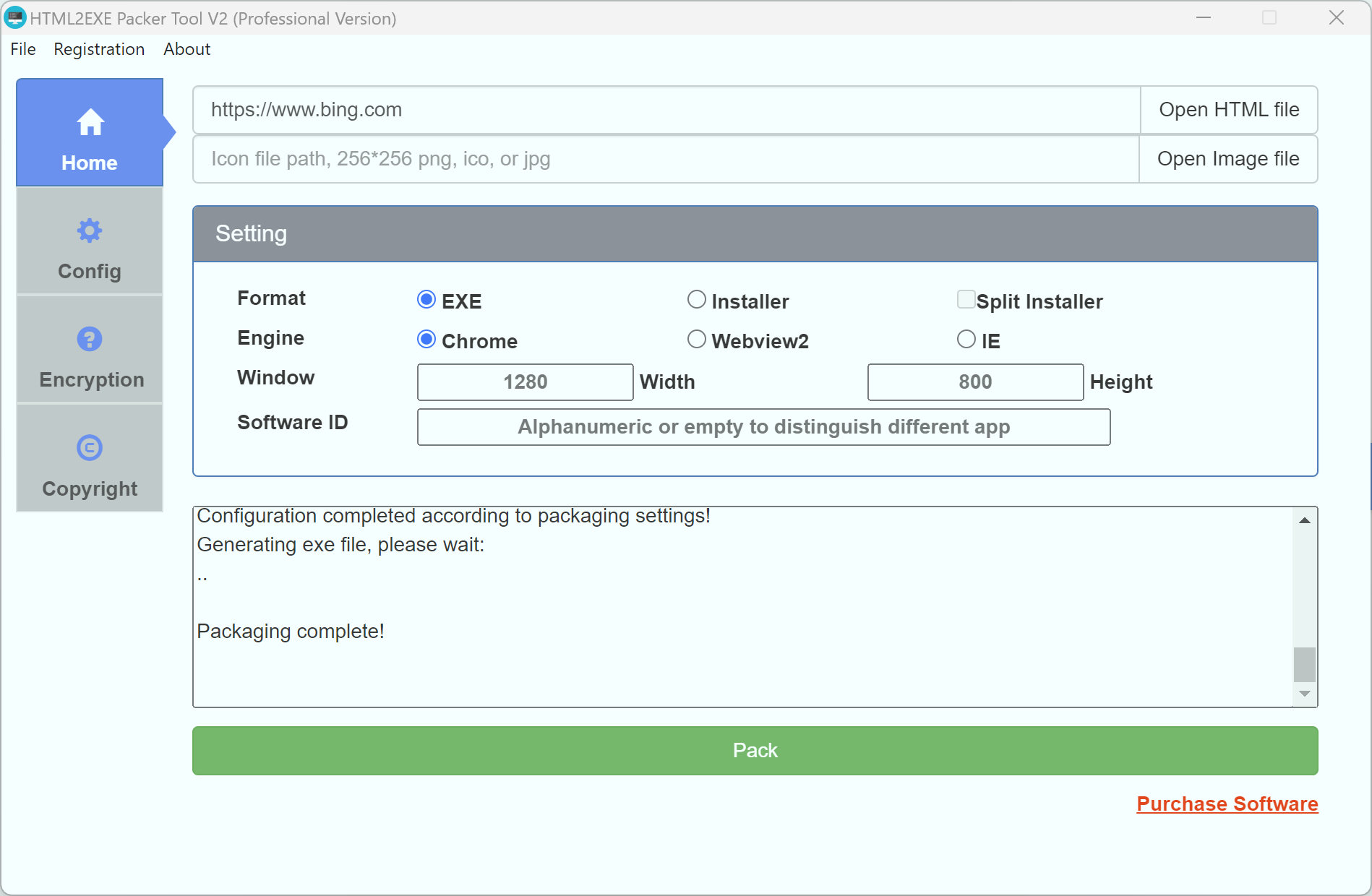
After launching the tool, enter the webpage URL to be packaged on the homepage (supports http/https protocols or local paths). It's recommended to fill in the Software ID (to distinguish different projects) and configure window size, icon, and other parameters as needed.
Step 2: Enable Encryption
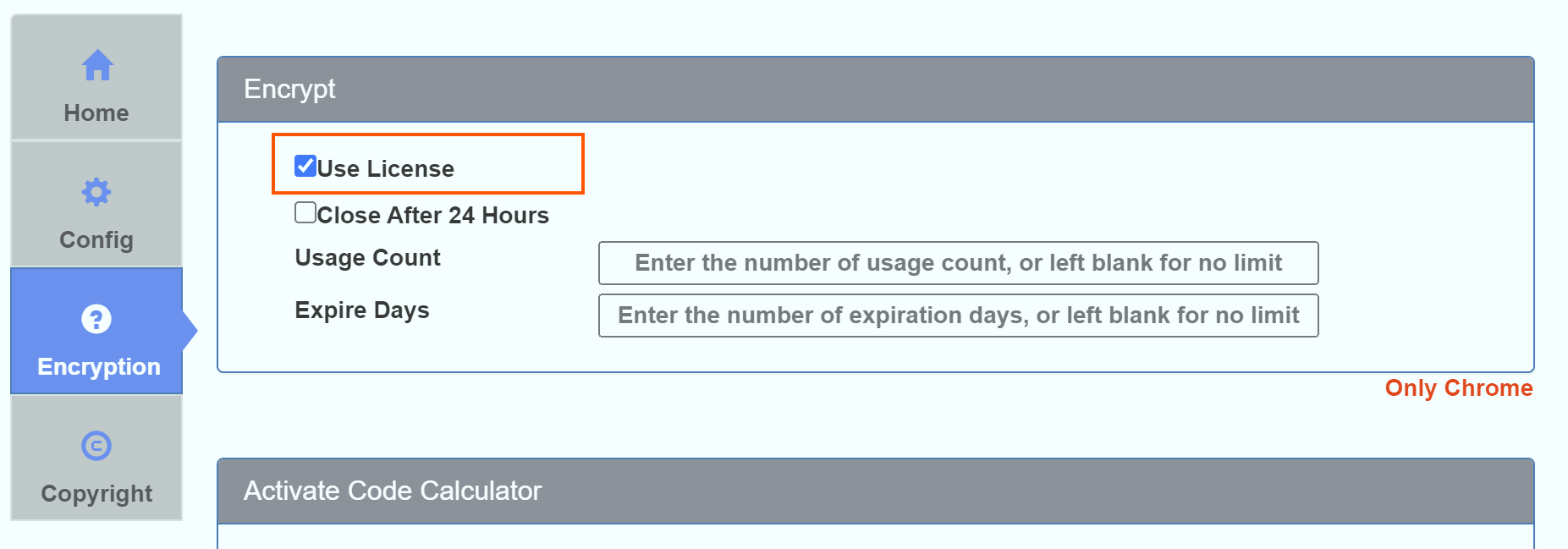
Switch to the "Encryption Settings" tab and check the "Requires Activation Code" option:
- You can set a usage time limit (days)
- You can set a usage count limit
- You can set the software to close every 24 hours of runtime
Step 3: Generate Unactivated Program
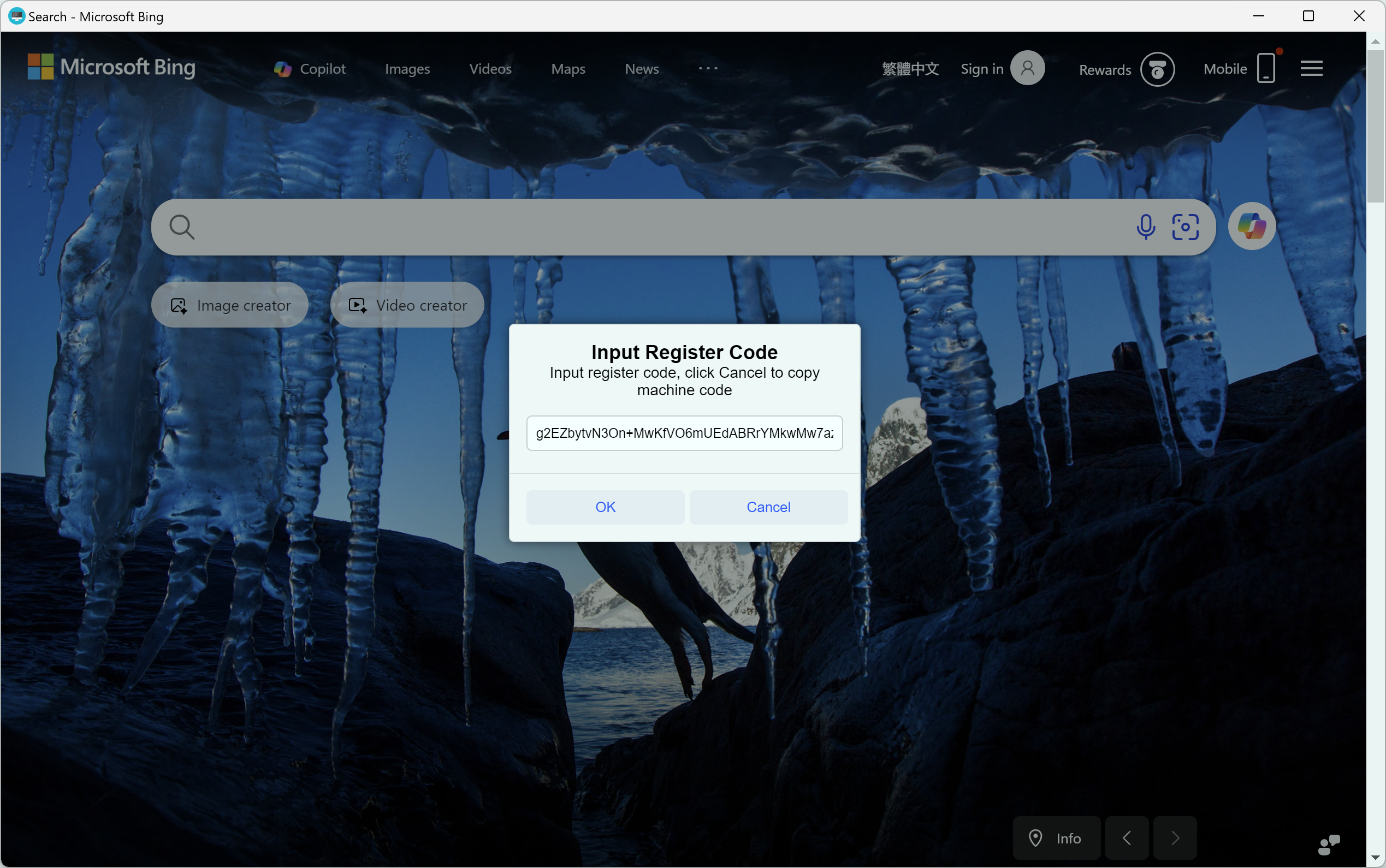
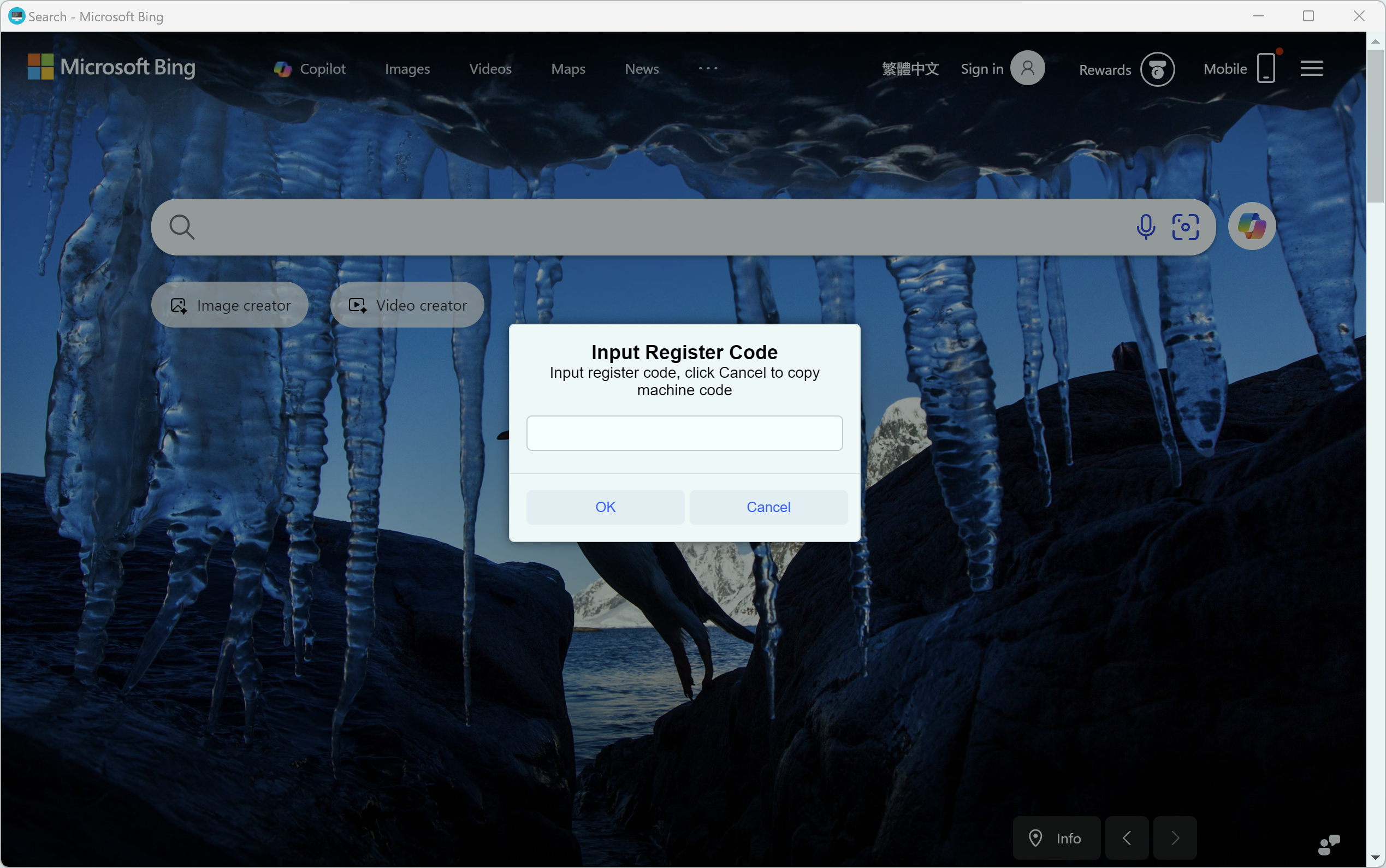
Return to the homepage and click "Start Packaging". When the generated EXE runs for the first time, an activation window will appear. Click "Cancel" to automatically copy the machine code.
Step 4: Generate Activation Code
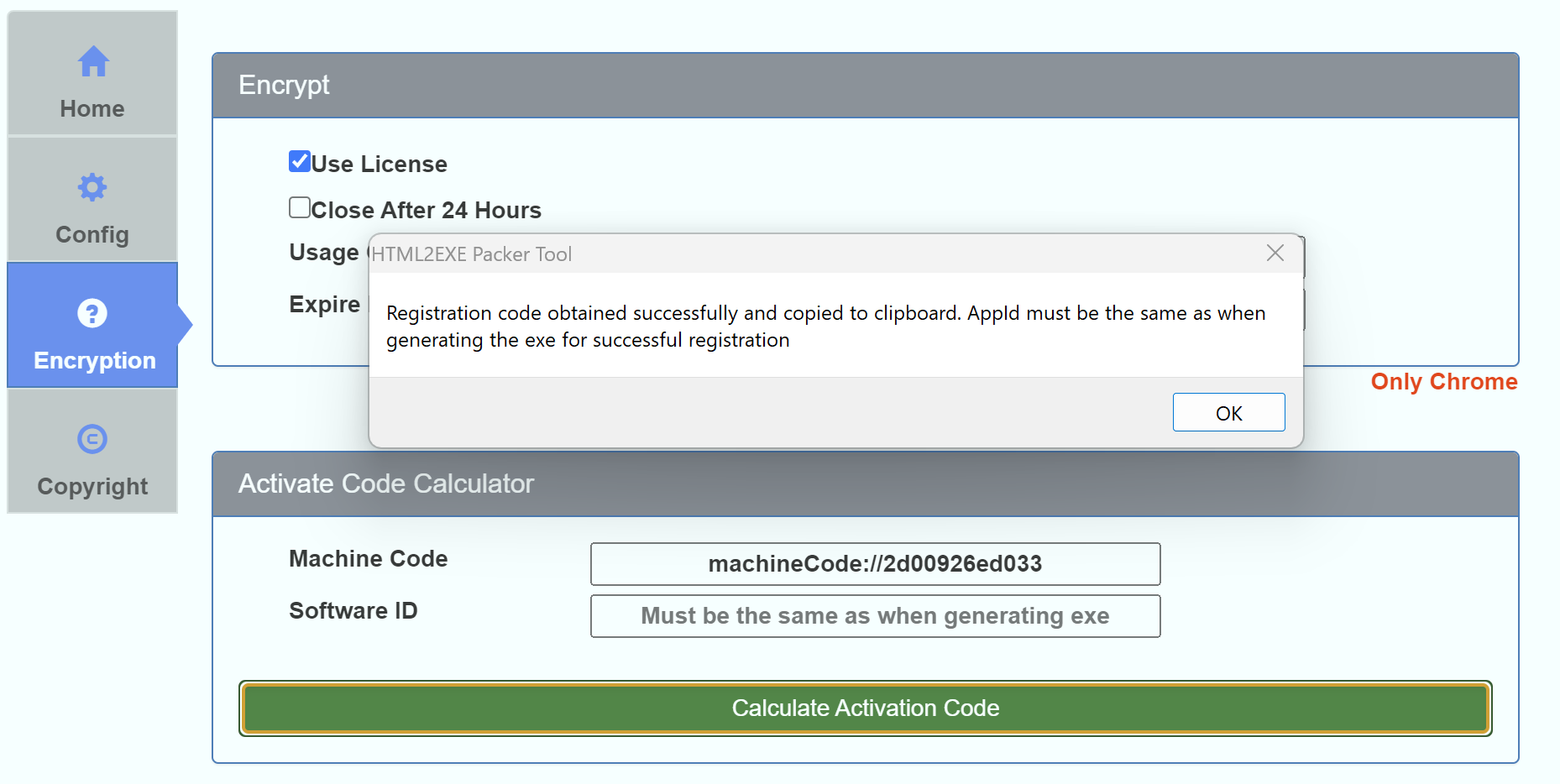
Find the "Activation Code Generator" on the encryption page of the packing tool:
- Paste the copied machine code
- Enter the Software ID you filled in during packaging (leave blank if not filled)
- Click calculate to generate the activation code
Step 5: Complete Activation
Enter the generated activation code into the activation window of the EXE program. After successful verification, the software can be used normally.