Choosing the Kernel for HTML to EXE Packaging Tool
This article introduces the Chrome kernel and WebView2 kernel in the HTML to EXE packaging tool.
WebView2 is a control provided by Microsoft that allows developers to embed web technologies (such as HTML, CSS, and JavaScript) in native applications. WebView2 uses Microsoft Edge as the rendering engine to display web content in native applications.
Chrome is a free web browser developed by Google. It has quickly become one of the most popular browsers in the world due to its clean design and advanced features. Chrome supports multiple platforms, including Windows, macOS, Linux, iOS, and Android.
Although WebView2 and Chrome belong to Microsoft and Google respectively, they are both developed based on the Chromium kernel. Therefore, their functions are very similar, and the underlying rendering technology and JS engine are the same.
In the HTML to EXE packaging tool, you can see both Chrome and WebView2 in the kernel selection options. They have the following differences:
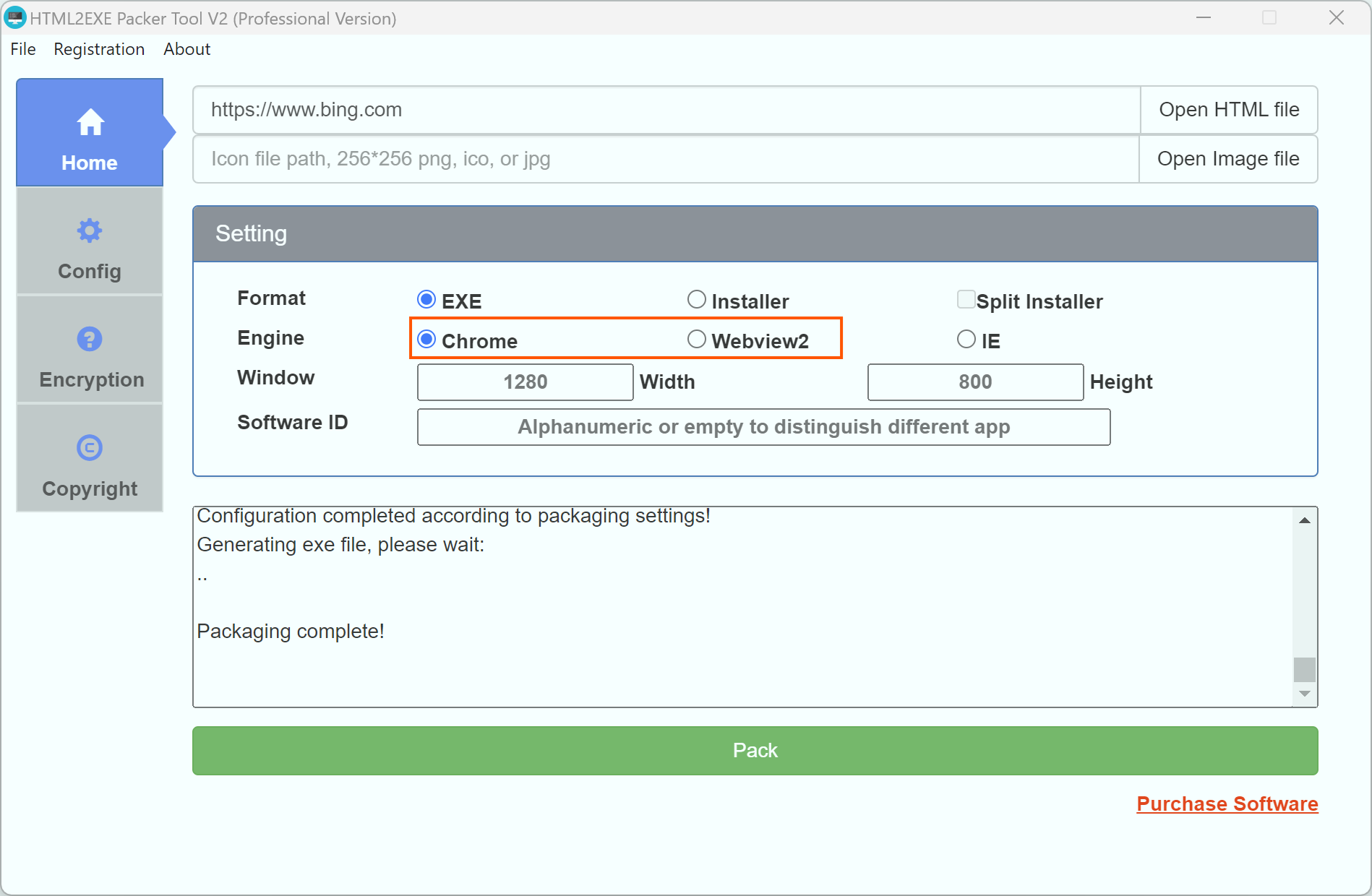
Detailed Comparison
System Environment Requirements
Chrome Kernel
When packaging with the Chrome kernel, the entire Chrome kernel will be packaged into the EXE file. Therefore, there are no special environment requirements for the user's computer. Even if the user does not have Chrome installed on their system, it will not affect the running of the packaged file. Therefore, it can run normally on Windows 7 and above versions.√
WebView2 Kernel
When packaging with WebView2, the kernel files are not packaged. The packaged EXE depends on the WebView2 control in the system. Therefore, the packaged EXE requires WebView2 to be installed on the user's system. For Windows 10 and Windows 11, the WebView2 control is already built into the system, so there are no environment concerns. However, for older systems such as Windows 7, users need to install the WebView2 runtime environment themselves to run it properly.
Package File Size
Chrome Kernel
Since the entire kernel is packaged into the EXE during the Chrome kernel packaging process, the packaged file will be larger. Generally, the kernel itself will take up about 160MB (approximately 70MB after compression in the installer version).
WebView2 Kernel
The WebView2 kernel does not package any kernel files, so it is very small in size, generally within 10MB.√
Compatibility
Chrome Kernel
Since the Chrome kernel is packaged into the EXE, the kernel version is fixed. Therefore, users on different systems will have the same effect when opening the EXE. Thus, the compatibility is good, and the behavior is consistent across different systems.√
WebView2 Kernel
Since the WebView2 packaged EXE depends on the WebView2 control installed on the system, and different users may have different versions of the WebView2 control on their systems, the compatibility of HTML/JS/CSS may be inconsistent. The same code may behave differently on different computers.
Browser Features
Chrome Kernel
Since the Chrome kernel will be packaged into the EXE, in order to ensure that all systems (Windows 7 and above) can run and use it normally, the packaging software can only select a relatively stable kernel version that is compatible with all systems. Therefore, some of the latest browser features may not be supported.
WebView2 Kernel
Because the WebView2 kernel uses the system's control, it can be updated as the system is updated. Therefore, in the latest Windows systems, the WebView2 kernel will be the latest. Thus, the WebView2 kernel can use the latest browser features. For example, in our previous article, we introduced using the WebView2 kernel to package a program based on the latest WebGPU feature of the browser to run a local AI model to remove image backgrounds.√
Functionality
Chrome Kernel
The Chrome kernel has been updated and iterated in the HTML to EXE packaging tool for 7-8 years. Therefore, it supports more functions, and each function is very stable. All functions are supported.√
WebView2 Kernel
The WebView2 kernel was released with version 2.0 of the HTML to EXE packaging tool. New features are still under development, so some setting options are not yet supported. Subsequent updates will gradually adapt them.
The above is a detailed introduction to the differences and usage scenarios between WebView2 and Chrome kernels in the HTML to EXE packaging tool.